Require lesson completion
In this article: How to make specific lessons required so students cannot skip ahead without completing them first. All Plans
Before You Start
By default, students can navigate freely between lessons in your course. Making a lesson required means students must click Mark as Complete on that lesson before they can move to subsequent lessons.
This is useful when the order of content matters. For example, if Lesson 2 builds directly on concepts from Lesson 1, requiring Lesson 1 ensures students do not skip ahead. It is also helpful for accountability: if you pair a required lesson with a discussion prompt that requires a comment, students must engage with the content and participate before moving forward.
You can toggle the Required setting individually on any lesson. Setting a lesson as required creates a sequential prerequisite lock for that point in your course.
Sequential prerequisites vs. course completion: The
Required toggle controls
navigation pacing (whether students can jump ahead). It does
not make unflagged lessons optional for course completion or certificates. To complete a course and earn a certificate on Ruzuku Pro, students must complete
all lessons across all published modules. See
Set up certificates of completion for details.
Make a Lesson Required
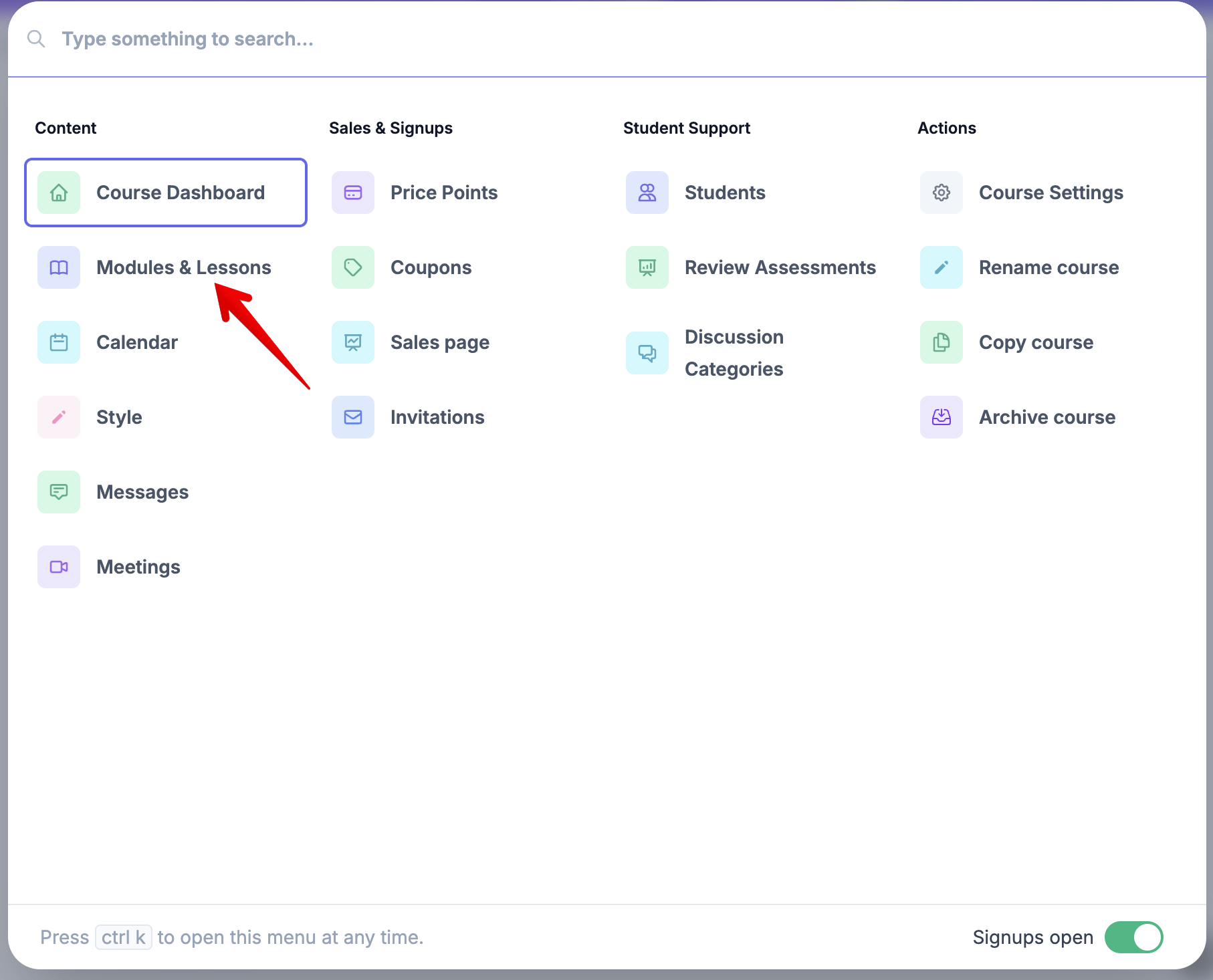
- Open the Manage Course menu (Cmd+K on Mac, Ctrl+K on Windows) and click Modules & Lessons.
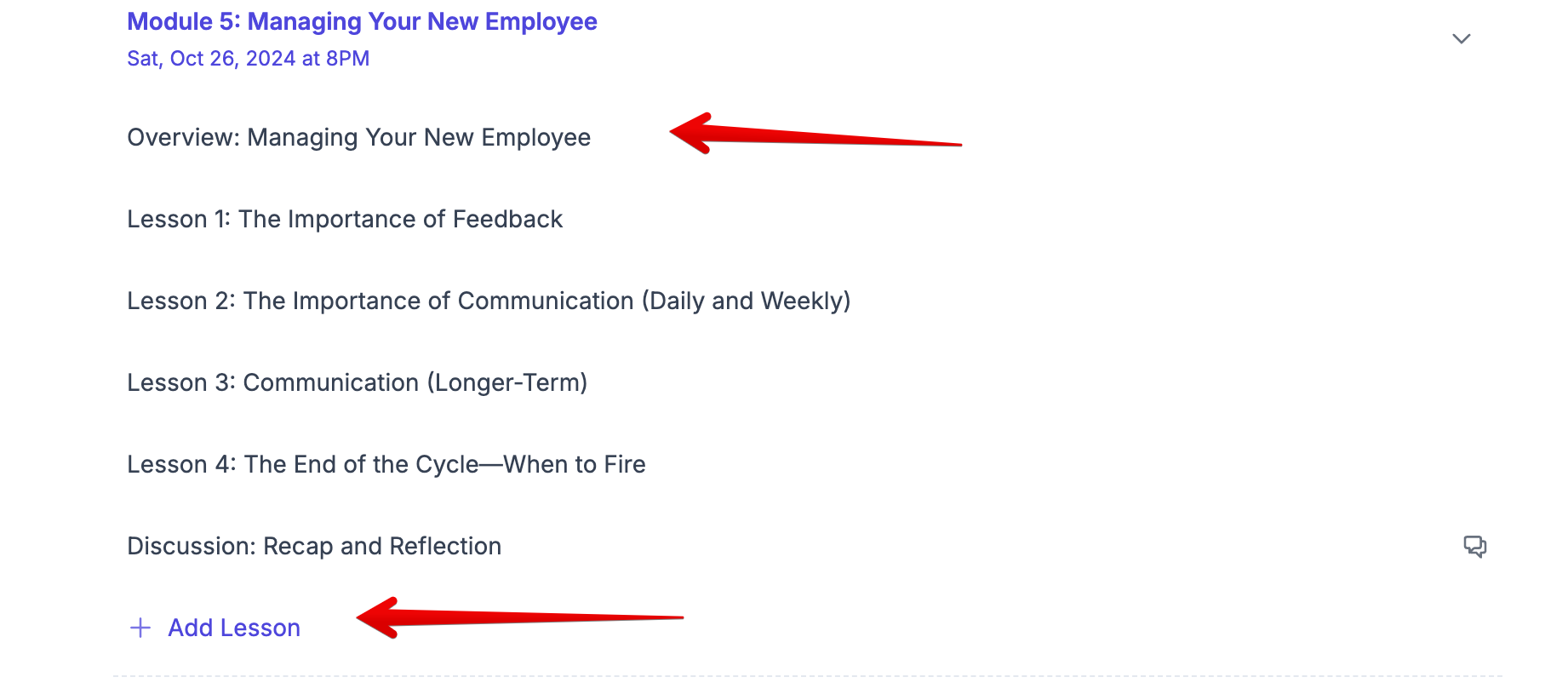
- Click the lesson you want to make required, or add a new lesson.
- Scroll to the bottom of the lesson editor and toggle the Required switch in the dark gray action bar.
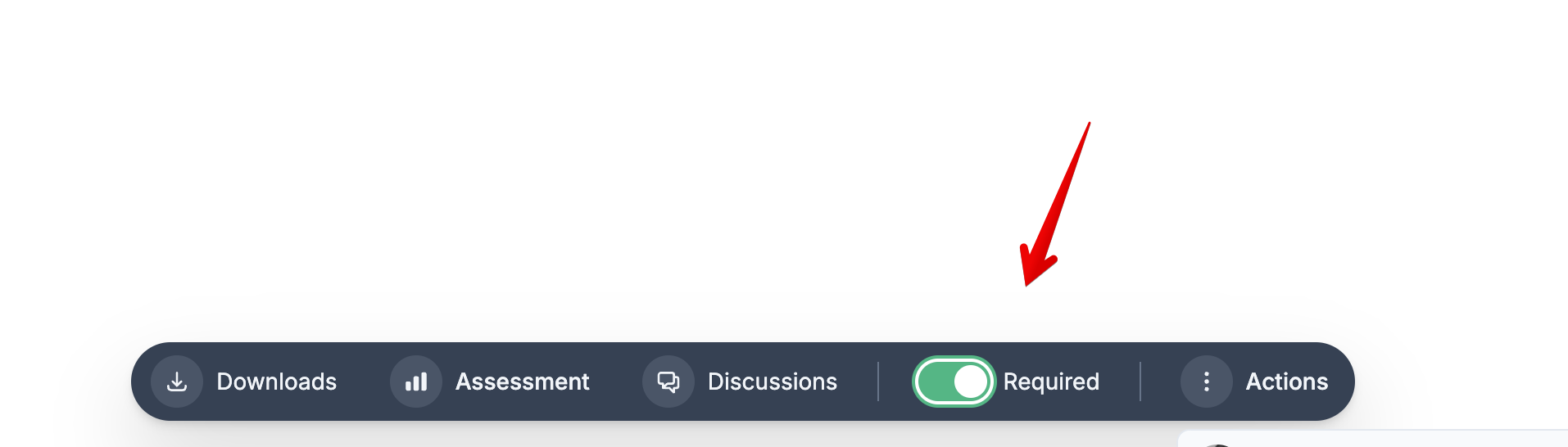
That's it. The lesson is now a required prerequisite.
What Your Students See
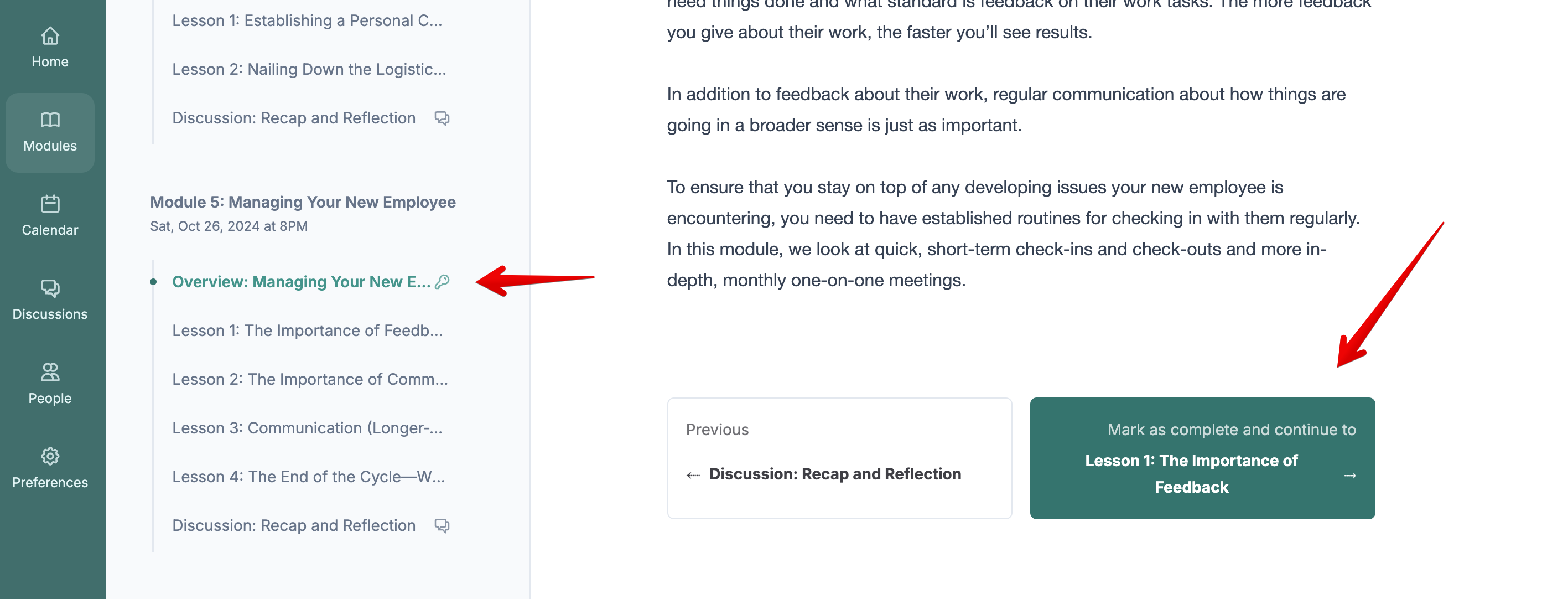
Students see a key icon next to required lessons in the course outline, so they know which lessons must be completed before moving forward. When they try to navigate past a required lesson without marking it complete, they are prompted to finish it first.
To complete a required lesson, students click the Mark as Complete button at the bottom of the lesson.
Tip: If a lesson also has a discussion prompt with Require a comment toggled on, students must post a response and click Mark as Complete. This gives you a two-layer accountability tool for important milestones.
When to Use Required Lessons
- Sequential curriculum where each lesson builds on the previous one and skipping ahead would cause confusion
- Cohort programs where pacing matters and you want everyone working through content in order
- Key milestone exercises or reflections that students must complete before unlocking subsequent modules
- Quizzes and assessments that serve as knowledge gates before students move on to advanced topics
For self-paced reference courses with independent topics, leaving lessons untoggled gives students the flexibility to jump around based on their immediate needs.
Frequently Asked Questions
Can I make some lessons required and leave others open for free navigation?
Yes. The Required toggle is set per lesson. Required lessons act as gates: students must complete them before accessing later material. Untoggled lessons allow students to navigate freely. Note that for final course completion and certificates, students must still complete every published lesson in the course.
Does leaving a lesson untoggled make it optional for course completion or certificates?
No. In Ruzuku, earning a certificate of completion requires completing 100% of all lessons in all published modules. The Required toggle only controls whether a student can skip ahead during the course, not whether the lesson is needed to complete the course.
What happens if I toggle a lesson to required after students are already enrolled?
Students who have already completed the lesson are not affected. Students who haven't completed it yet will need to mark it complete before moving past it.
Can I require students to pass a quiz before completing the lesson?
Yes. Add a quiz to the lesson, set a passing score in the quiz preferences, and toggle the lesson to required. Students must score at or above the passing threshold before they can mark the lesson complete. See
Create and configure quizzes for details.
Can I require students to watch a video before completing the lesson?
The required toggle ensures students click Mark as Complete, but Ruzuku does not track whether a video was played to the end. If watching the video is essential, you can add a discussion prompt asking students to share a key takeaway, and toggle on Require a comment.
Related Articles

