
Change your email notification preferences
Getting too many emails from your course? Or missing ones you want? You can choose exactly which notifications you receive — and how often — for each course you're enrolled in.
Each course has its own settings, so if you're taking more than one course, you'll update them separately.
Change your email notification preferences
-
Log in to Ruzuku and open the course you want to update.
-
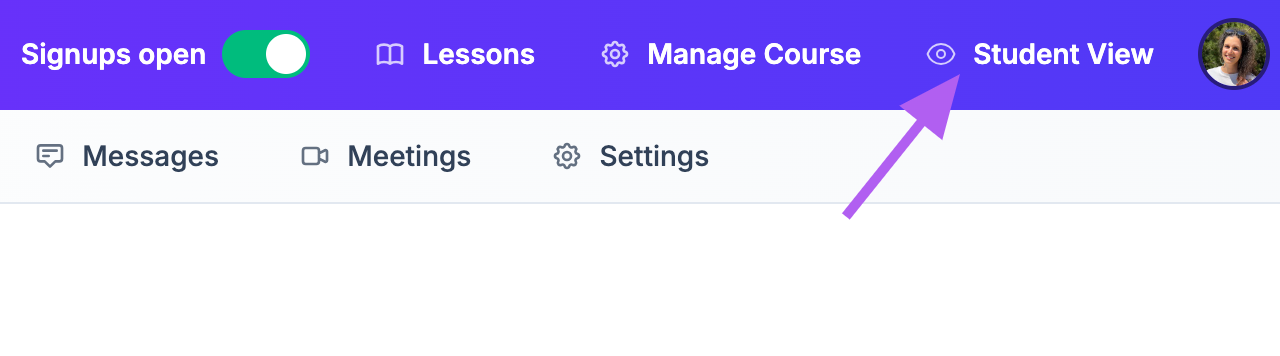
Make sure you're in Student View of the course.
-
Click the Preferences gear icon.

-
Toggle each email setting on or off, and pick how often you'd like to receive notifications about course activity.

-
Click Save Changes.


That's it — your new preferences take effect right away.
Frequently Asked Questions
Do I need to update this for every course I'm in?
Yes. Email preferences are set per course, so if you're enrolled in more than one, you'll need to update each one individually.
Will turning off notifications make me miss important course updates?
You can still see everything happening in your course by logging in. Notifications are just reminders — the content itself is always available inside your course.
I'm not getting any emails from my course. What should I check?
First, check your notification preferences using the steps above to confirm they're turned on. If everything looks right, check your spam or junk folder for emails from Ruzuku.
Related Articles
Need Help?
Email us at support@ruzuku.com — we typically respond within a few hours (M-F 10am-6pm ET).